


Tablet-based shop floor production tracking: operators clock in on their manufacturing order, declare their quantities and consult their routing, without opening the back office.
Operators, team leaders and workshops equipped with tablets
Overview
MRP — Touchscreen Shop Floor Portal (DYONYSOS)
The Odoo Community Manufacturing app assumes an operator who can navigate the back office (menus, lists, forms). On a shop-floor tablet, that is neither realistic nor desirable. This app adds a dedicated portal, designed for a touchscreen, where operators see only what they need to run their station.
Important — what the app does, and what it does not do. It is not a replacement for Odoo Enterprise's "Shop Floor": no quality checks, no on-screen lot/serial number management, no worksheet configurator with step-by-step images. It is a deliberately simple touchscreen time-tracking tool that delegates the entire state machine to Odoo (button_start, button_finish…) rather than reimplementing it, and that relies on the enhanced routings of dyo_mrp_bom_routing if they are installed (optional, not required).
Also searched as: Odoo shop floor time tracking, tablet production tracking for Odoo Community, lightweight MES shop floor terminal. English version: shop floor terminal for Odoo Community — work order clock-in, quantity declaration, routing consultation.
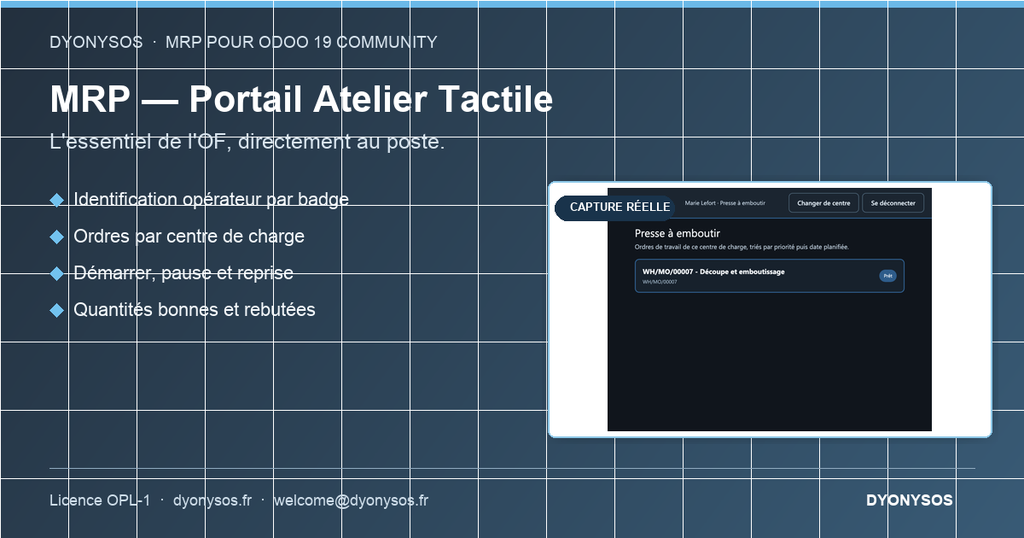
Badge identification: a short code specific to each operator (dyo.mrp.shopfloor.operator), with no Odoo password and no dependency on the HR module — the session is remembered for the duration of the shift (standard Odoo server session cookie).
“My station” screen: choose a work center exposed on the portal, then see the list of ready / in-progress work orders at that work center, with large buttons, sorted by priority and then by planned date.
Standard Odoo actions: start, pause (configurable stop reason), resume, finish — via button_start / button_pending / button_finish, never a new custom state.
Quantity reporting: good and scrapped, with a consistency check (no negatives, refused if the total exceeds the remaining quantity — a deliberate overrun remains possible from the back office).
Read-only view: routing of the manufacturing order, components to consume, operation instructions and attached files (if dyo_mrp_bom_routing is installed).
Security: each action checks, server-side, that the operator is acting on the work center selected in the session and that this work center is exposed to the portal — never access merely by knowing an ID.
Back-office configuration: work centers exposed on the portal, list of stoppage reasons, operator badges.
Demo data: two operators, two exposed work centers, and a manufacturing order with two work orders pending/in progress.
Key points
- Badge, not password
- Standard state machine
- Secure by design
Specifications
| Price | €350 excl. VAT |
|---|---|
| License | OPL-1 |
| Odoo series | 19.0: published on the Odoo Apps Store |
| Version | 19.0.1.0.0 |
| Edition | Odoo Community / on-premise |
| Technical name | dyo_mrp_shopfloor |
| Domain | Manufacturing and food trades |
Price excluding VAT as displayed on the Odoo Apps Store; purchase and installation are done on the Store or through your Omnifloo instance.